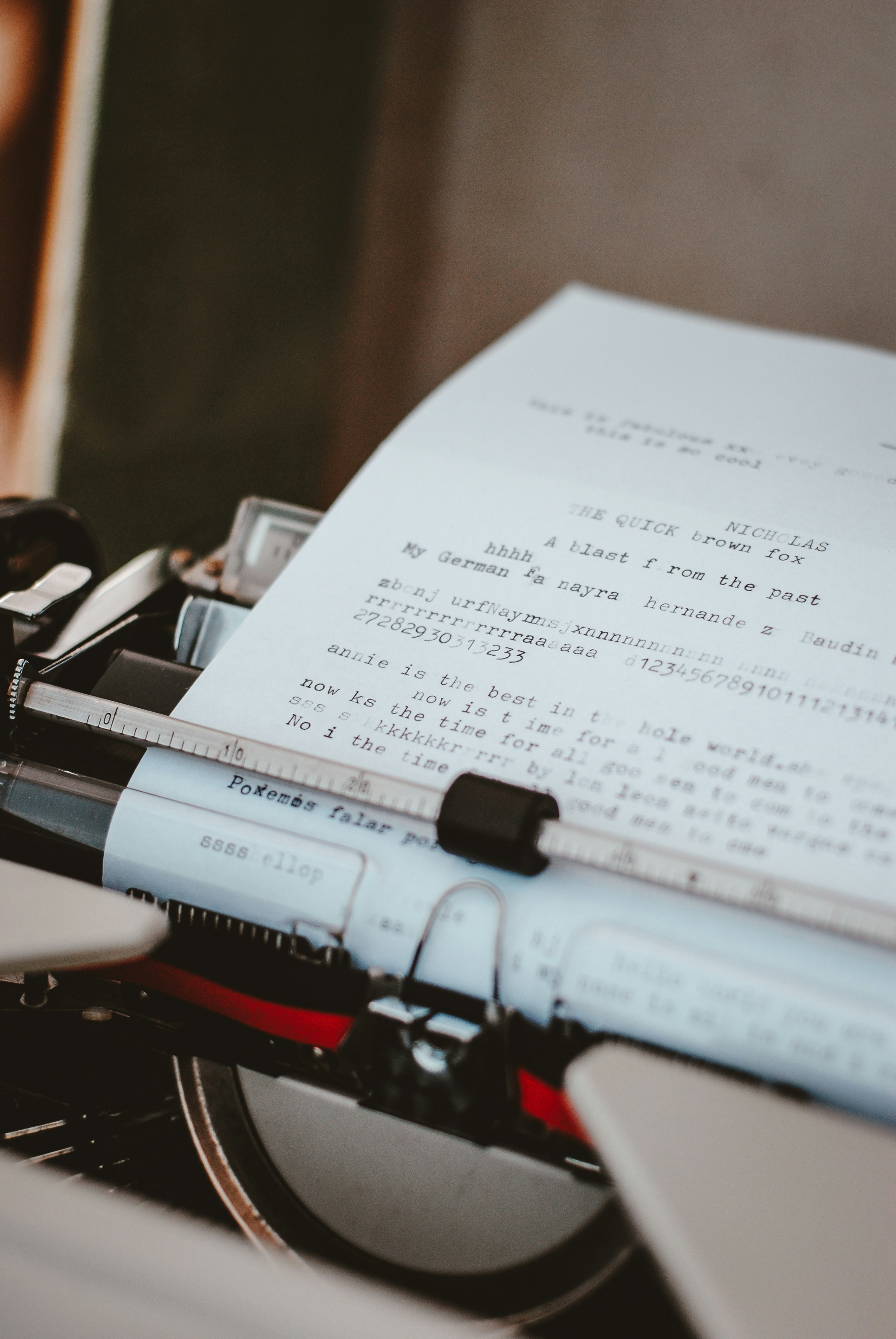
Understanding Typing and Its Mechanics
Typing is a complex task that involves multiple components working in harmony to achieve efficiency and accuracy. At the core of typing mechanics are hand positions and finger placements, which are crucial in facilitating fluid movement across the keyboard. The standard QWERTY layout, for instance, requires typists to utilize all ten fingers while employing various hand placements. The objective is to ensure that each finger is assigned to correspond with specific keys; this strategy not only enhances speed but also promotes typing accuracy.
Fine motor skills play a critical role in typing. This capacity to perform precise movements with our hands is developed through practice and repetition. When an individual types rapidly, the brain engages in a coordinated effort, sending signals to fingers to strike the correct keys in quick succession. Such synchronization between mental commands and physical responses illustrates the significant role cognitive functions play in the typing process.
Furthermore, as one becomes more proficient in typing, the brain begins to create neural pathways that allow for faster recognition of key positions and quicker responses. However, this increase in speed may sometimes result in lesser focus on accuracy, leading to typos. Understanding the underlying mechanics can help typists develop better techniques, such as touch typing, which encourages a natural and ergonomic hand position, thereby reducing errors over time.
Additionally, typists may benefit from training exercises that reinforce coordination between the hands and brain. By devoting time to practice, individuals can significantly improve their typing accuracy while maintaining high speeds. Recognizing the connection between typing mechanics and performance can lead to a more thoughtful approach in addressing the common issue of making typos at high velocities.
Cognitive Load and Speed
Cognitive load refers to the amount of mental effort being used in the working memory. When individuals engage in tasks that require speed, such as typing, the cognitive demand increases significantly. This phenomenon is particularly relevant in the context of typing as it involves multiple processes that must be simultaneously coordinated. The typist must not only think about what they want to say but also transform their thoughts into written language and execute the physical actions necessary to type the words on a keyboard.
When typing rapidly, there is a tendency for cognitive overload, which occurs when the brain is confronted with demands that exceed its capacity. In such situations, typists may struggle to manage their language production and motor skills effectively. The balance between thinking, language formulation, and muscle memory becomes strained, leading to mistakes. Often, individuals may type out of sequence, omit letters, or even transpose words, which can result in what we commonly refer to as “typos.” These errors can be attributed to the brain’s attempts to keep up with the speed of thought and the physical actions of typing.
Additionally, the pressure to type quickly often comes with distractions and interruptions, further elevating cognitive load. As attention is divided among these competing demands, the likelihood of committing errors increases. Cognitive load theory highlights this interaction between speed and accuracy, indicating that when one increases, the other often diminishes. Thus, it becomes essential for typists to recognize their limits and adapt their typing speed to reduce cognitive strain. Being aware of how cognitive load affects performance can lead to strategies that enhance typing proficiency while minimizing errors.
Motor Skills Development and Practice
Motor skills play a crucial role in typing efficiency and accuracy. The development of these skills involves the brain’s ability to coordinate movements of the fingers, hands, and sometimes the entire body when seated at a computer. Typing is a complex task that requires both fine and gross motor skills; fine motor skills pertain to the small muscles in the fingers, while gross motor skills relate to larger muscle groups, which assist in maintaining posture and facilitating movement.
Initially, typing involves a conscious effort to locate each key on the keyboard, which can inhibit speed and increase the likelihood of errors. As individuals practice regularly, muscle memory begins to develop. This memory allows for the automatic execution of typing sequences without the need for constant attention to finger placement. Consequently, the more frequently individuals engage in typing, the more proficient they become, leading to improved accuracy and reduced typo occurrence.
However, for many who are still developing their typing skills, typing rapidly can lead to mistakes. Inexperience can manifest itself in various ways: fingers may strike incorrect keys, or the cohesion between thought and movement might lag. Such discrepancies often result in a heightened number of typographical errors. Furthermore, when rushing through typing tasks, the brain’s processing speed may not align with physical finger movements, compounding the chance for mistakes.
Practicing typing consistently can help minimize these errors over time. As individuals focus on enhancing their motor skills through repetition, they establish neural pathways that facilitate faster and more accurate typing. Ultimately, as typing speed improves with practice, the frequency of typos is likely to decrease, resulting in a more effective typing experience.
Typographical Errors Explained
Typographical errors, commonly referred to as typos, are mistakes that occur during the process of typing. When typing quickly, individuals may experience a variety of common errors that can significantly impact the clarity of their communication. Understanding the different types of typographical errors can shed light on the reasons they occur more frequently during rapid typing.
One prevalent category of typographical errors is transpositions. This occurs when two adjacent letters are mistakenly swapped, such as typing “teh” instead of “the.” Transposition errors can stem from the fast-paced nature of typing, where fingers may not align perfectly with the intended keys, especially when navigating the keyboard swiftly.
Another common type is omission errors. This occurs when a letter or characters are unintentionally left out of a word. For instance, typing “frien” instead of “friend” exemplifies this error. Omission errors often arise due to a lack of thorough proofreading, as rapid typists may overlook what they intended to type, especially if they are focused on maintaining speed rather than accuracy.
Substitution errors, on the other hand, involve replacing one letter with another, often related to proximity on the keyboard. An example would be typing “b” instead of “n” due to their close physical placement on the keyboard. Such mistakes are frequently more prevalent during hurried typing sessions, as the typist’s fingers may simply strike the wrong key under time pressure.
In additional instances, errors can occur due to cognitive overload when processing language and coordinating finger movements simultaneously. Overall, these typographical errors stem from the interplay of physical and mental factors, making them more pronounced in high-speed typing scenarios.
The Role of Distractions
Distractions play a significant role in impacting typing efficiency and can be a primary factor contributing to the frequency of typographical errors. In an increasingly connected world, the presence of notifications from various devices can fragment concentration. Notifications from social media, email, or text messages can divert attention away from typing, even if only briefly, resulting in increased chances of making mistakes. This interruption, no matter how small, can disrupt the flow of thought, leading to slower processing of information and a greater likelihood of errors.
Ambient noise also contributes significantly to typing accuracy. Research has shown that environments with high noise levels can hinder cognitive performance. Whether it’s the sound of conversations nearby or repetitive noises from electronic devices, these distractions can create a chaotic backdrop that makes it difficult to maintain focus. When typing quickly in such an environment, one’s brain might split its attention between the task at hand and the ambient sounds, causing slips in concentration that manifest as typographical errors.
Furthermore, the rise of multi-tasking in daily activities has affected our cognitive abilities related to focus and attention. Juggling multiple responsibilities, such as responding to messages while producing a written document, leads to cognitive overload. This overload can diminish performance quality, increasing the rates of mistakes. Even external distractions that seem inconsequential, such as someone walking past or chatter in a coffee shop, can significantly interrupt the typing process, generating more typos.
Addressing these distractions is crucial for improving typing accuracy. Individuals can enhance their focus by creating a dedicated workspace, turning off unnecessary notifications, or using noise-canceling headphones. By recognizing the impact of distractions, typists can implement strategies to minimize their influence and facilitate a more productive typing experience.
The Influence of Keyboard and Device
When discussing the prevalence of typographical errors during fast typing, one must consider the significant role of the keyboard and the device being utilized. Different types of keyboards, including mechanical, membrane, and touchscreen, can dramatically influence both typing speed and accuracy. Each type has its unique characteristics that cater to varying user needs and preferences.
Mechanical keyboards are often favored by typists who value tactile feedback and key responsiveness. The distinct bump that many mechanical switches provide can enhance the user’s ability to feel when a key has been activated. This tactile feedback can reduce the likelihood of typographical mistakes, especially during fast-paced typing sessions. Furthermore, the durability and consistent response of mechanical keyboards may contribute to improved overall typing efficiency.
On the other hand, membrane keyboards, which utilize pressure pads, may not provide the same degree of feedback. This lack of tactile sensation can lead to uncertainty when typing quickly, making it easier for errors to occur. Additionally, the resistance of the keys on a membrane keyboard can vary, potentially causing delay in response times. The resulting effect may contribute to an increase in typographical errors.
Touchscreen devices, while highly intuitive and portable, present their own set of challenges. The absence of physical keys often means that users must rely on visual cues rather than tactile feedback. This reliance can create a disconnect between the user’s intent and the on-screen implementation, especially at high speeds. Further complicating matters, factors such as screen size and the accuracy of touch sensitivity can also impact typing precision.
In conclusion, the type of keyboard or device plays a crucial role in influencing typing speed and accuracy. Ergonomic factors and key responsiveness are critical elements that contribute to the frequency of typographical errors. Understanding the implications of these devices can lead to more effective typing strategies and ultimately improve typing quality.
The Impact of Auto-Correct and Predictive Text
In the modern digital communication landscape, auto-correct and predictive text features have become ubiquitous tools that assist users in composing messages efficiently. However, while these features are designed to enhance typing speed and accuracy, they can inadvertently lead to a significant reduction in attention and awareness during the typing process. As users become increasingly reliant on these tools, they may find themselves less engaged in the act of typing itself.
When auto-correct is enabled, users may experience a false sense of security, believing that any typographical errors will be automatically corrected. This reliance can foster a more relaxed approach to spelling and grammar, resulting in a tendency to overlook mistakes that the auto-correct function fails to address. Such errors can accumulate, especially when typing quickly. Predictive text can further exacerbate this issue; users sometimes select suggested words without fully considering their appropriateness, potentially leading to contextual errors. The ease of tapping or swiping to insert a word can shift focus away from careful composition.
The cognitive load placed on writers can also shift dramatically due to these technological aids. Rather than actively focusing on sentence structure, word choice, and clarity of thought, many users find themselves entrusting these details to their devices. This disconnection from the typing process can diminish the overall quality of written communication, as users are more likely to overlook typos or misuse words that are automatically suggested by their devices. Consequently, while auto-correct and predictive text serve as valuable tools for rapid communication, they also illustrate a dual-edged sword effect, where their benefits may lead to an unintended growth in typing errors, particularly when the user is typing at an accelerated pace.
Strategies for Reducing Typos When Typing Fast
Reducing typos while typing quickly is essential for enhancing productivity and maintaining clear communication. Several strategies can be employed to improve typing accuracy without compromising speed.
Firstly, incorporating targeted exercises to enhance finger agility and hand coordination can significantly benefit typists. Regular drills focusing on finger placement and movement can reinforce muscle memory, allowing for quicker and more precise keyboard interactions. Exercises such as typing speed tests or utilizing online typing tutors can help identify specific areas for improvement.
Secondly, ensuring an ergonomic setup can greatly influence typing performance. An adequately positioned chair and desk, along with a well-placed keyboard, can minimize discomfort and fatigue, helping typists maintain focus and efficiency. The ideal posture includes having the keyboard at elbow height and ensuring that wrists are straight during typing. Investing in ergonomic keyboards or wrist supports may also prove beneficial for long typing sessions.
Additionally, utilizing software tools designed to aid in reducing typos can be a practical approach. Spell checkers and grammar correction tools available in most word processing software can spot errors in real-time, allowing typists to correct mistakes as they happen. Furthermore, many typing applications come equipped with features that help improve speed and accuracy through structured lessons and progress tracking.
Finally, practicing mindfulness while typing can also lead to fewer errors. Being aware of one’s own typing habits and consciously slowing down when necessary can help prevent mistakes caused by haste. Gradual integration of these techniques into daily typing routines can lead to noticeable improvements over time.
Conclusion and Key Takeaways
In this exploration of the phenomenon of typos when typing at high speeds, we have identified several contributing factors that play a significant role in this common occurrence. One primary reason is the innate human tendency to prioritize speed over accuracy, which often results in oversights and errors in the text as fingers scramble to keep up with thoughts. Another critical factor is the lack of familiarity with certain words or keyboard layouts, particularly for individuals who may be new to touch typing or who frequently switch between different devices.
Moreover, psychological elements such as distraction and stress can exacerbate the tendency to make mistakes while typing. In environments with numerous interruptions or heightened pressure, the likelihood of encountering typographical errors increases considerably. Hence, understanding these elements is crucial for improving typing proficiency.
To mitigate the occurrence of typos, several strategies can be implemented. First, practicing typing with a structured approach can help develop muscle memory, making the process more efficient. Utilizing typing tutorials and exercises designed to improve speed while maintaining accuracy can greatly enhance one’s ability to produce mistake-free text. Additionally, incorporating periodic breaks during prolonged typing sessions allows for cognitive rejuvenation, ultimately minimizing errors. Lastly, creating a distraction-free typing environment will enable a focused mindset conducive to accuracy.
By acknowledging these key factors and adopting effective techniques, individuals can manage their typing errors more successfully. As a result, they can achieve greater fluency and confidence in their typing abilities, thus ensuring clearer and more professional written communication.